Mobile App UI/UX Design
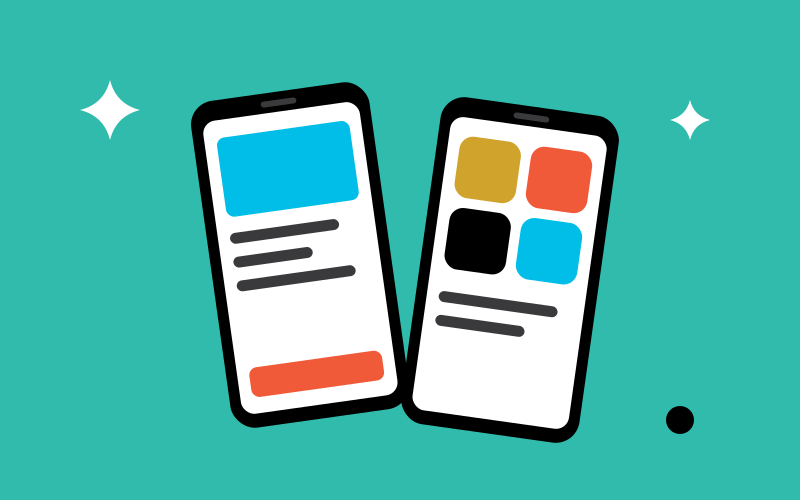
We design mobile app experiences for iOS and Android that feel natural in the hand, respect each platform's conventions and help users get things done in moments.
We research how people use your digital product, then design the journeys, structure and interfaces that make it clear, efficient and pleasant to use.
UI/UX design is the discipline of shaping how a digital product works and feels for the people who use it. UX, or user experience, covers the research, structure and journeys behind a product: what users are trying to achieve and the clearest way to help them do it. UI, or user interface, is the visible layer of screens, controls and feedback they interact with. At TechBiz Digital, we treat the two as one continuous process, so every interface decision is grounded in a real user need.
This page describes our overall approach. Where a product has particular conventions, our specialist services go further: mobile app UI/UX design for iOS and Android apps, and web application UI/UX design for dashboards, portals and software platforms.
part way through key tasks such as signing up, booking or completing a form.
the same questions about where to find things or how features work.
because the product has grown without a consistent structure or design language.
with decisions based on opinion rather than evidence about users.
and want to validate the idea before investing in development.
by users, customers or an audit, and the product needs to work for people with a wider range of abilities.
interviews, surveys or reviews of existing data to understand users' goals, context and frustrations.
a structured review of an existing product against established usability principles, with prioritised recommendations.
maps of the steps people take to complete key tasks, highlighting where friction occurs.
the organisation and labelling of content and features, so users can find what they need.
low-detail screen layouts that test structure and flow before visual design.
clickable versions of key journeys for review and usability testing.
where included in scope, sessions with representative users to observe how they use the design and where it fails them.
high-fidelity screens covering layout, typography, colour, iconography and every interaction state.
reusable components and guidelines that keep the product consistent as it grows.
We combine your business objectives with what we learn about users, through research, analytics and talking to support teams.
We turn our findings into problem statements and priorities, so the design effort is focused on what will make the biggest difference.
We map the key user journeys and organise the information architecture, then sketch and wireframe the main screens.
We build clickable prototypes and, where scope allows, test them with representative users to shape the next iteration.
We design the final interfaces, document components and states, and support developers so the finished product matches the intent.
Every point of confusion in a product has a cost. Users who cannot complete a task may abandon it, contact support or choose a competitor. Clear journeys and well-designed interfaces reduce that friction, which tends to show up as higher completion rates, fewer support requests and users who return.
Designing and testing before development also lowers risk. Changing a prototype costs a fraction of changing finished code, and testing early helps avoid building features that users do not need or cannot use. Accessibility, considered from the start, widens the range of people who can use your product and helps meet the expectations of customers and regulators.
We also design with measurement in mind. Before work begins, we agree the signals that will show whether the changes have helped, such as task completion, drop-off at key steps or the volume of particular support requests. Where analytics are in place, those measures can be compared before and after release, so design decisions are judged on evidence rather than taste and the next round of improvements is easier to prioritise.
UI/UX design is most effective when it continues into build and beyond. Our web application development and mobile app development services can turn the designs into working products, and conversion rate optimisation uses data and testing to keep improving live journeys. For marketing websites, see website design. Explore all of our design services.
Frequently Asked Questions
UX design, or user experience design, is concerned with how a product works for the people using it: their goals, the steps they take and the problems they meet. UI design, or user interface design, is the visual and interactive layer they see and touch, such as layouts, buttons, typography and states. Good products need both.
Your knowledge of customers is a valuable starting point. Research adds evidence about how people actually behave when using the product, which often differs from how we expect them to. The depth of research can be scaled to the project and budget.
Yes. A UX audit can identify the issues causing the most friction, so improvements can be prioritised and delivered in stages. A complete redesign is only recommended when the underlying structure no longer works.
Where the scope allows, yes. We can run usability sessions with representative users using a prototype, either in person or remotely. Even a small number of sessions usually reveals the most significant problems.
Yes. We design with implementation in mind and hand over documented components, states and specifications. We are happy to work with your in-house developers, and our own development team can also build the product.
Yes. For products that will grow, we can create a design system of reusable components, patterns and rules, so new features stay consistent and are quicker to design and build.
Good UX makes products easier to use, so more people complete tasks such as signing up, buying or finding information. That can increase conversions, reduce support requests and make customers more likely to return.
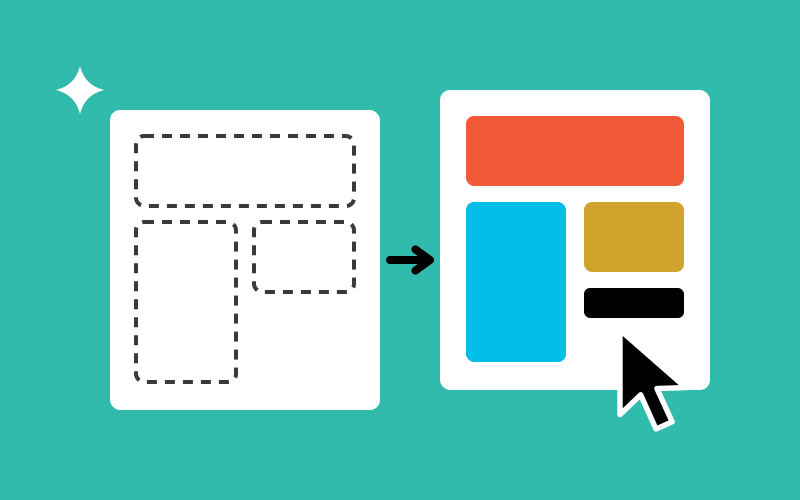
Wireframes are simple layouts that map structure and content without visual styling. Prototypes link screens together so you can click through a journey. Both let you test and agree how a product works before investing in final design and development.
Yes. We design with accessibility in mind, including readable text, colour contrast, keyboard and screen reader support and clear focus states, so products work for more people and align with recognised accessibility guidelines.
It depends on the product's size, the research needed and the number of screens and user journeys. We plan the work in stages, such as research, wireframes, prototypes and final design, and confirm the schedule in the proposal.
Keep Exploring
More design services from TechBiz Digital, starting with those that work best alongside UI/UX Design.
We design mobile app experiences for iOS and Android that feel natural in the hand, respect each platform's conventions and help users get things done in moments.
We design web applications, dashboards and SaaS platforms that make complex work feel manageable, with clear workflows, readable data and interfaces built to scale.
We design business websites that look distinctive, read clearly and guide visitors towards the next step, with responsive layouts planned for every screen size.
Brand strategy defines what your business stands for, who it serves and why that matters to them. We turn those answers into a clear positioning and messaging foundation for everything that follows.
We design complete visual identities: the logo, colours, typography, imagery and graphic elements that make your brand recognisable and consistent wherever people encounter it.
We design distinctive, versatile logos that represent your business clearly and work wherever they need to, from a favicon or app icon to a sign above your door.
We create clear, practical brand guidelines that show your team, agencies and suppliers exactly how to use your brand, so it looks and sounds consistent wherever it appears.
We help established businesses update their brands, from a focused refresh that modernises what already works to a full rebrand when the business has fundamentally changed.
We design online stores that make products easy to discover, explain them clearly and take shoppers smoothly from browsing to checkout on any device.
We create clear, well-crafted visual communication for print and digital, from brochures and adverts to infographics and campaign artwork, all consistent with your brand.
We design social media content that is instantly recognisable as yours: posts, carousels, stories, profile assets and reusable templates built for each platform.
We design presentations that help you win the room: pitch decks, sales and company presentations, and branded templates that turn complex information into a clear story.
We design packaging and labels that make products stand out, communicate clearly at a glance and arrive as print-ready artwork your manufacturer can produce accurately.
We design business cards, letterheads and the everyday printed materials that represent your company, prepared as print-ready artwork with practical guidance on paper and finishes.